
On occasion you may need and official PDF copy of your amateur radio license. Some sites like examtools will used it to verify you. Other systems like DMR or Echo link may use it to.
I’m sure you think this is simple. Just go to the FCC login and download it. NOPE! The FCC site is very confusing. There are actually 2 systems. One for obtaining your FRN number and making payments. (which you need to obtain before taking an amateur radio exam). A second one that allows management of your license and call-sign. Which includes renewing your amateur radio license.
To limit confusion here. I’m only going to talk about the system for managing your license.
The first thing you need to know. Is that you need to already have a FRN number. The FRN number is what is used to login to the system and is linked to your call-sign. You can look up your FRN number on the FCC website.
Below is the link to the page and an image of what it looks like. Most search engines will direct you to the CORES login even when searching for the ULS system. Which I believe is the name for the license manger show below. But I can’t confirm that.
License Manager – Login Website – The page should look like the one below. If it doesn’t most likely you are on the wrong FCC page.
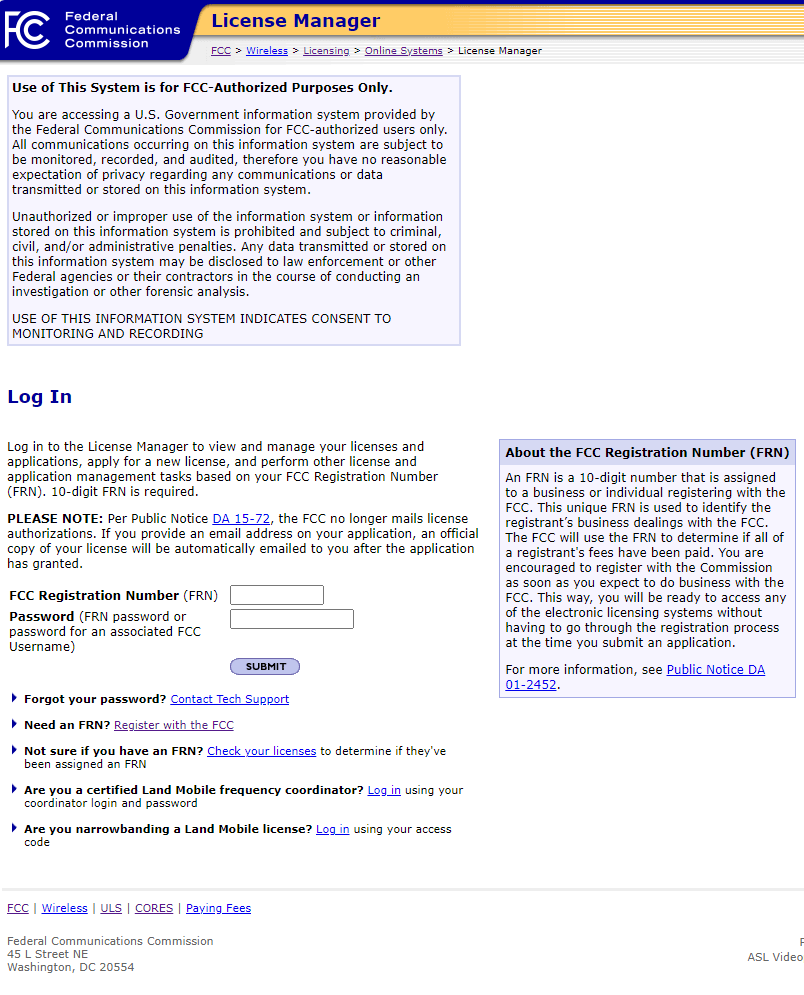
Once you login using the 10-Digit FRN Number associated with the call-sign. You can then download get a copy of the FCC official license. This official license copy is used for sites like Examtools. They use the official copy to verify your license before authorizing you to conduct exam sessions.
Tip: It is not uncommon for the FCC system to go un-responsive at times. I believe they may take the system down at night to process changes. So, if doing this late at night you may have to wait for the system to come back up. Note the system will either just not respond or error out. For me it seemed to come back up after 1 am
Tip: NEVER user the browsers back button!! The FCC license manager, CORES and or ULS systems will immediately log you out if you do. Instead look for what is called breadcrumb links at the top or bottom of the active page you are on. This may enable you to move about in the system.
So, I wanted this article to be more detailed. Explaining exactly how to download the license PDF. When I started writing this article. Which my first steps were to confirm the link was the correct page. I did so by logging in to my own license account using just my FRN number at about 9 pm. I went back 30 minutes later to begin writing the detailed steps. But by that time the systems was not responding properly again.
Once you get your PDF for your Call-sign make sure you save a copy for future use!
Discover more from KC2ZQO
Subscribe to get the latest posts sent to your email.
