
For users of HamRS pro, should check out the integration with QRZ.com. By linking your account, you can automatically upload your QSOs directly to qrz. that is if you are already a QRZ subscriber.
With the basic paid subscription to QRZ. You get access to their API. Which allows you to directly upload your contacts from HamRS and many other programs. Via your API key. Note: Even though non-paying users of QRZ can access the API Key. You will not be able to sync contacts without a paid subscription to QRZ and HamRS.
To get started you first need to obtain your API Key from QRZ under the logbook settings page.
https://logbook.qrz.com/logbook
Then click settings in the upper right corner.
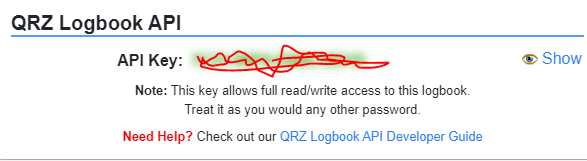
Once you have obtained your API key from QRZ.com. You then need to enter it into HamRS under config screen then the Integrations tab.
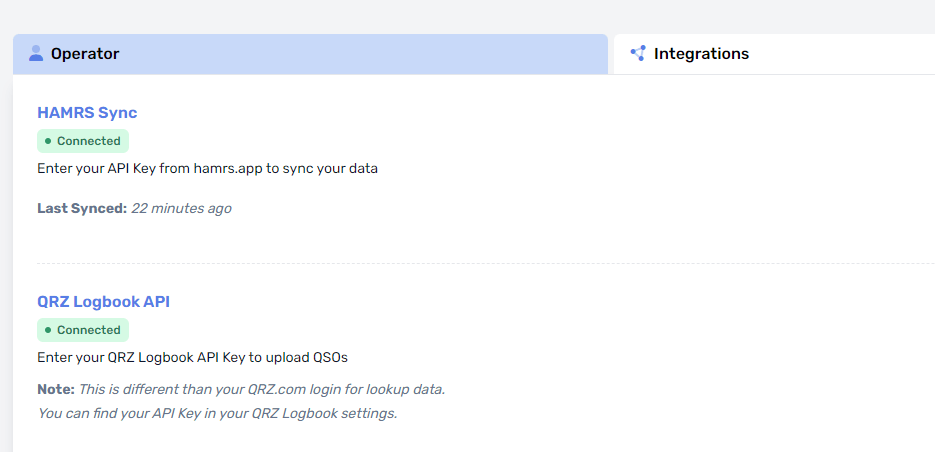
If it lights up green and says connected you are good to go.
Note: I experienced a delay of maybe 15 minutes from the time I purchased my QRZ subscription to the time when it started working.
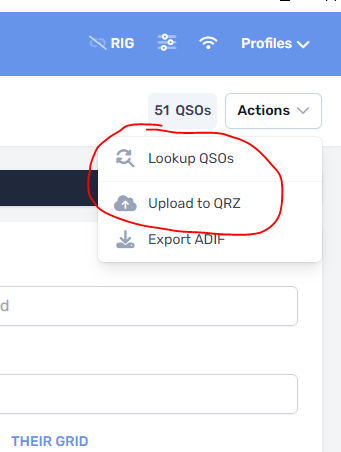
Once your configured. Go ahead and make some contacts and log them. When your done for the session. Hit actions in HamRS and click upload to QRZ.
Note: You should make sure all the information related to each qso is accurate. As HamRS doesn’t seem to re-upload records that have already been uploaded but then modified. It may be possible to re-upload one record after editing but I haven’t tried that. So, once it’s been upload you will probably need to make correcting edits in HamRS and also again in QRZ. Review your contacts before you upload. Ones that aren’t upload will have a grey cloud icon next to them. It will go green once uploaded.
Also, notice in the logbook next to the QSOs call there is a Grey icon or Green icon with check in it. If its green the callsign has been looked up by QRZ and verified. If its grey, it either has not looked it up or QRZ wasn’t able to find it. This will be more useful for those that are using HamRS offline. As when your online all calls are looked up in real time as you log them.
Note: when doing POTA the grid square is supposed to be the park the activator is in. If HamRS has not looked up the park, It will leave the grid square blank. This is a problem. QRZ seems to automatically look up the call sign for the contact. When the grid square is blank. This will then automatically enter the grid square of their home QTH. Which is incorrect when hunting for POTA activators.
Ok I’m going to cut this article here as I have covered HamRS often of late. But if you enjoyed this article, please click on the subscribe button, or comment.
Discover more from KC2ZQO
Subscribe to get the latest posts sent to your email.
